🔥 Free standard shipping to the US, UK, Canada and Australia. Duties and taxes included.

Tesla Model Y Screen Protector Guide: Sizes, AR Glass & Installation

Choosing the right Tesla Model Y screen protector starts with three questions: which display size does your vehicle have, what surface finish do you prefer, and how will the protector be installed?
Tesla Model Y vehicles may use different display formats depending on configuration, model year and market. This guide provides a simple overview of 15.4-inch and 16-inch options, AR optical glass and the installation tools available with Autolind products.
Quick Answer: Which Tesla Model Y Screen Protector Do I Need?
- Confirm the display size: Check whether your Model Y uses a 15.4-inch or 16-inch screen.
- Choose the finish: Clear AR glass is designed to preserve a smooth display appearance while reducing some surface reflections.
- Review the installation kit: Autolind Model Y and Model 3 products include an Auto-Alignment Tray with a dust-control chamber, a squeegee and a screen-cleaning kit.
If you are unsure about your screen size, confirm compatibility before ordering.
15.4-Inch vs. 16-Inch Model Y Displays
Model Y screen-protector fitment depends on the complete physical glass panel, not only the vehicle name or model year. Display size, bezel proportions, corner geometry and trim can all affect compatibility.
| Display format | Typical use | Product |
|---|---|---|
| 15.4-inch | Compatible Standard and selected non-Performance configurations | View 15.4-inch protector |
| 16-inch | Compatible Premium, Long Range and Performance configurations | View 16-inch protector |
Model names and equipment can vary between the United States, Canada, the United Kingdom, Australia and other markets. Use the physical display and product fitment details together.
For a detailed compatibility check, read our
Tesla Model Y screen size guide
.
How to Choose the Right Finish
The screen finish affects how the display looks in sunlight and how easy it is to clean. Matte protectors diffuse reflected light, but the textured surface may make small text or map details appear softer.
AR, or anti-reflection, glass uses optical surface treatment to help reduce distracting reflections while maintaining a smooth, glass-like appearance. AF, or anti-fingerprint, treatment helps make fingerprints and skin oils easier to wipe away.
For a more detailed comparison, read:
Matte vs. AR EV screen protectors
.
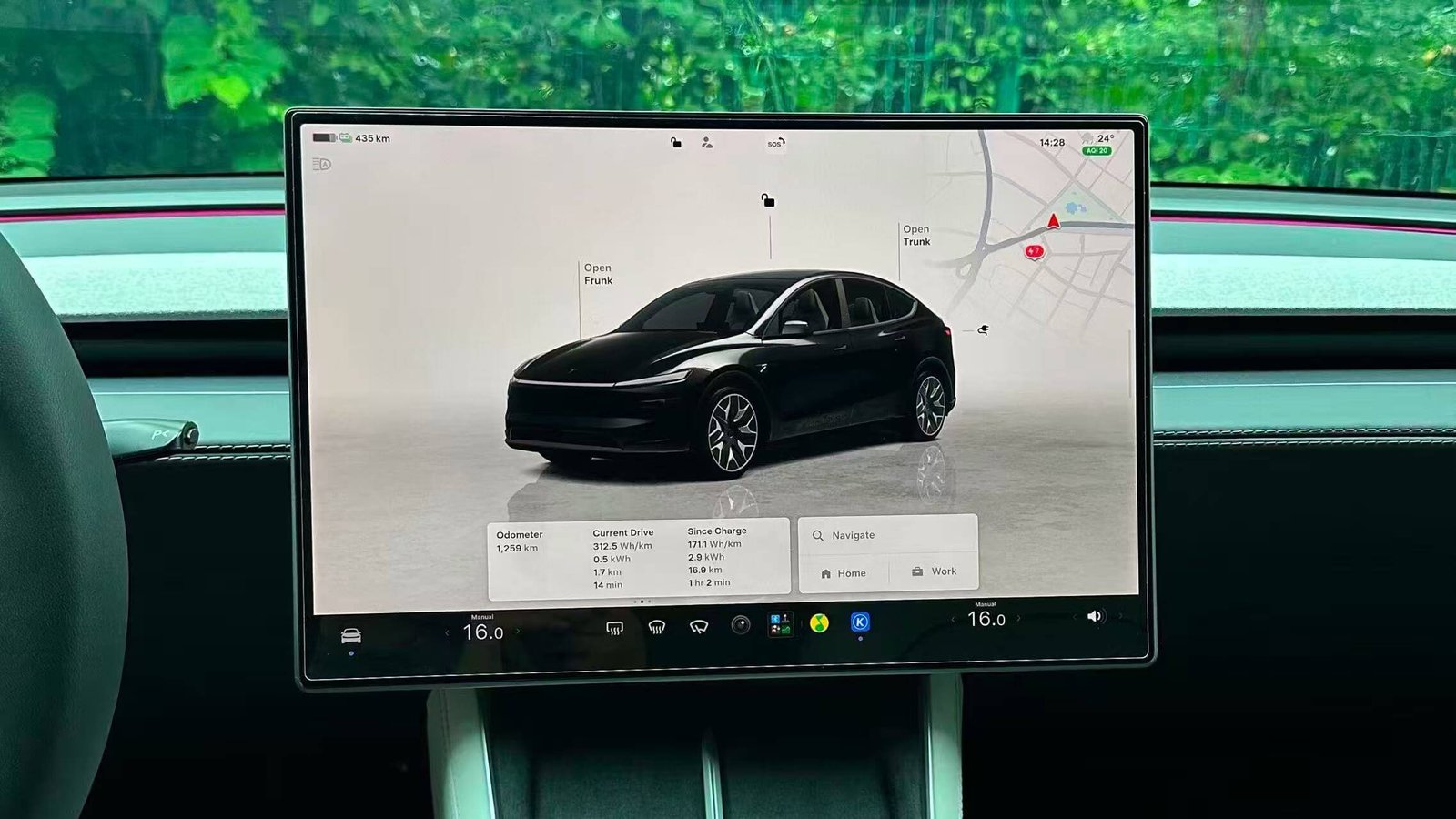
Autolind Glass Features
- 94.7% measured light transmittance: Supports a clear display appearance.
- 0.33 mm high-alumina tempered glass: Provides a slim glass profile.
- 6-hour thermal hardening process: Used as part of the stated strengthening process.
- 9H-rated surface: Refers to the stated surface-hardness rating.
- AR and AF treatments: Designed to help manage reflections and fingerprints.
- 2.5D-polished edges: Provide a smoother feel around the glass perimeter.
- Approximately 1 mm edge inset: Helps account for the display perimeter and surrounding trim.
Product specifications are provided for the Autolind protector and should not be treated as universal standards for every screen protector.
Installation Tools Included with Autolind Products
Autolind Tesla Model Y and Model 3 screen protector packages include a model-specific
Auto-Alignment Tray with a dust-control chamber, a squeegee for smoothing out trapped air and a screen-cleaning kit.
- Auto-Alignment Tray: Helps position the protector over the intended display area.
- Dust-control chamber: Helps reduce exposure to airborne dust during application.
- Squeegee: Helps move trapped air toward the nearest edge.
- Screen-cleaning kit: Helps remove dust, fingerprints and surface residue before installation.
For the complete installation process, see our
Auto-Alignment Tray installation guide
.
If you are installing a protector manually, read our
manual car screen protector installation guide
.
How to Confirm Fitment Before Ordering
- Check your full Model Y configuration and model year.
- Confirm whether the display is 15.4 inches or 16 inches.
- Compare the complete front-glass outline, corners and bezel.
- Review the exact product-page fitment notes.
- Contact Autolind if the display information is unclear.
A clear, front-facing photo of the complete screen and nearby trim can help support a compatibility check. Hide personal information shown on the display before sending a photo.
Frequently Asked Questions
Is every Tesla Model Y screen the same size?
No. Model Y vehicles may use different display formats depending on configuration, model year and market. Confirm the physical screen before ordering.
Can I use a 16-inch protector on a 15.4-inch screen?
No. The protector must match the display’s physical glass geometry. For a 15.4-inch screen, use the
15.4-inch Model Y protector
.
Does Autolind include an Auto-Alignment Tray?
Yes. Autolind Tesla Model Y and Model 3 protector packages include a model-specific Auto-Alignment Tray with a dust-control chamber, a squeegee and a screen-cleaning kit.
Can the installation kit guarantee a bubble-free result?
The tray and squeegee are designed to support positioning and air removal. Results depend on screen cleanliness, the installation environment and the care taken during application.
Which product should I choose for a 16-inch Model Y?
Visit the
16-inch Model Y buying guide
for specifications and pre-purchase checks, then confirm the product page before ordering.
Choose Your Tesla Model Y Screen Protector
Confirm your display size, then select the matching Autolind protector.
15.4-Inch Display
For compatible 15.4-inch Tesla Model Y display configurations.
Not sure which screen size you have? Contact Autolind with your vehicle details and a clear photo of the display before ordering.